Convert CGM to SVG with engineering-grade precision
Reforge delivers reliable vector output for WebCGM, S1000D, ATA iSpec, and ISO 8632 workflows. Fast enough for production batches, accurate enough for regulated technical documentation.
30-day trial. Full feature access with daily trial conversion limits.
Trusted standards supported
Proof from production conversion workflows
Concrete outcomes engineering teams use to qualify a CGM to SVG pipeline.
Standards-aware SVG fidelity
Preserve line styles, text baselines, and color mappings across mixed-profile CGM archives.
Validated for WebCGM 2.1, S1000D, ATA iSpec 2200, and ISO 8632 workflows.
Predictable batch throughput
Queue folders or release packages and run repeatable conversions without one-by-one manual handling.
Designed for daily engineering publish windows and revision-driven handoffs.
Audit-friendly validation trail
Flag unsupported commands and profile mismatches before SVG export reaches manuals or portals.
Local processing with reviewable validation output for QA and compliance handoff.
From input to publish-ready SVG in three steps
Designed for technical users who need speed and control
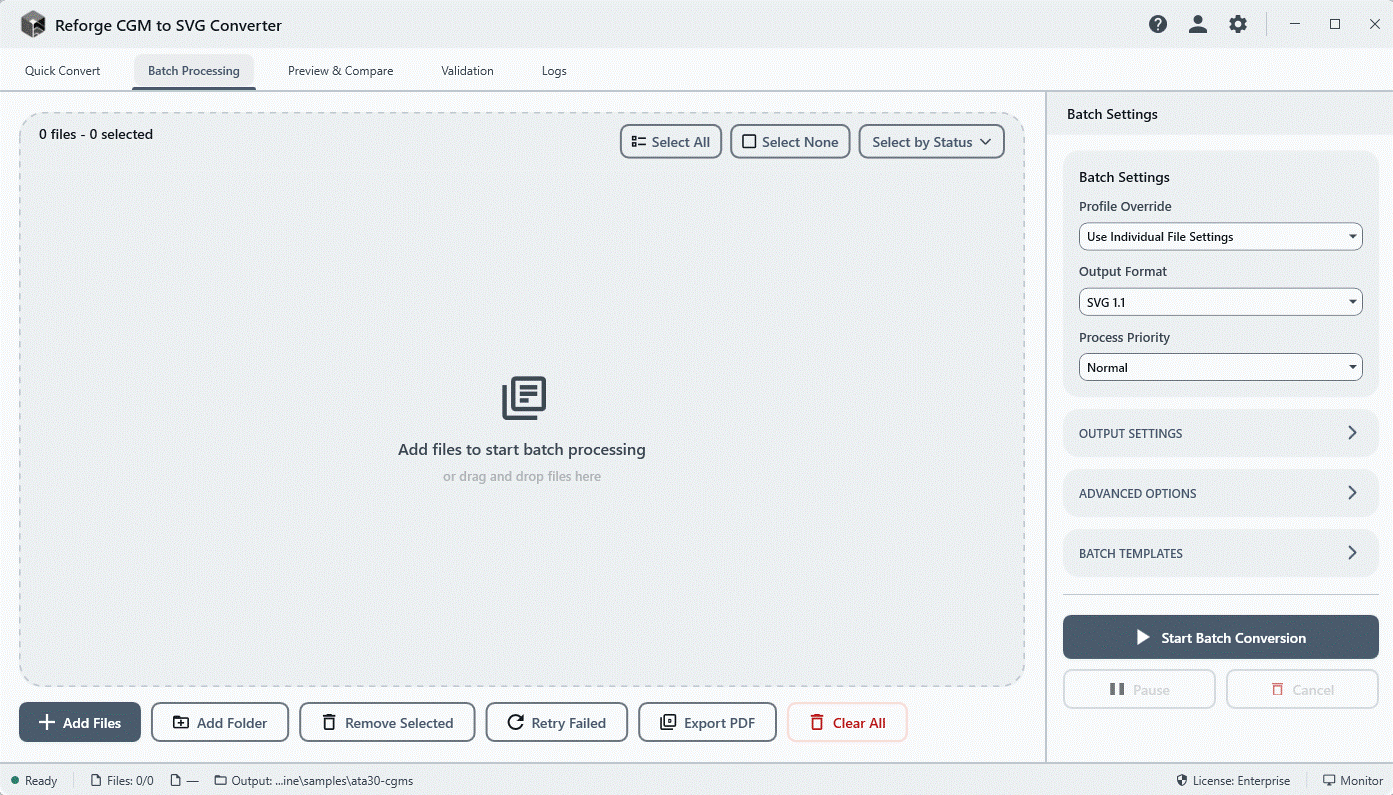
Drop Your Files
Drag and drop CGM files or select a folder for batch processing
Choose Settings
Select output options, scale, and quality preferences
Export SVGs
Get clean, scalable vector graphics ready for any use
Purpose-built conversion capabilities
Everything needed for dependable CGM to SVG output at team scale
High Fidelity
Preserve every detail from your original CGM files with pixel-perfect accuracy.
Batch Processing
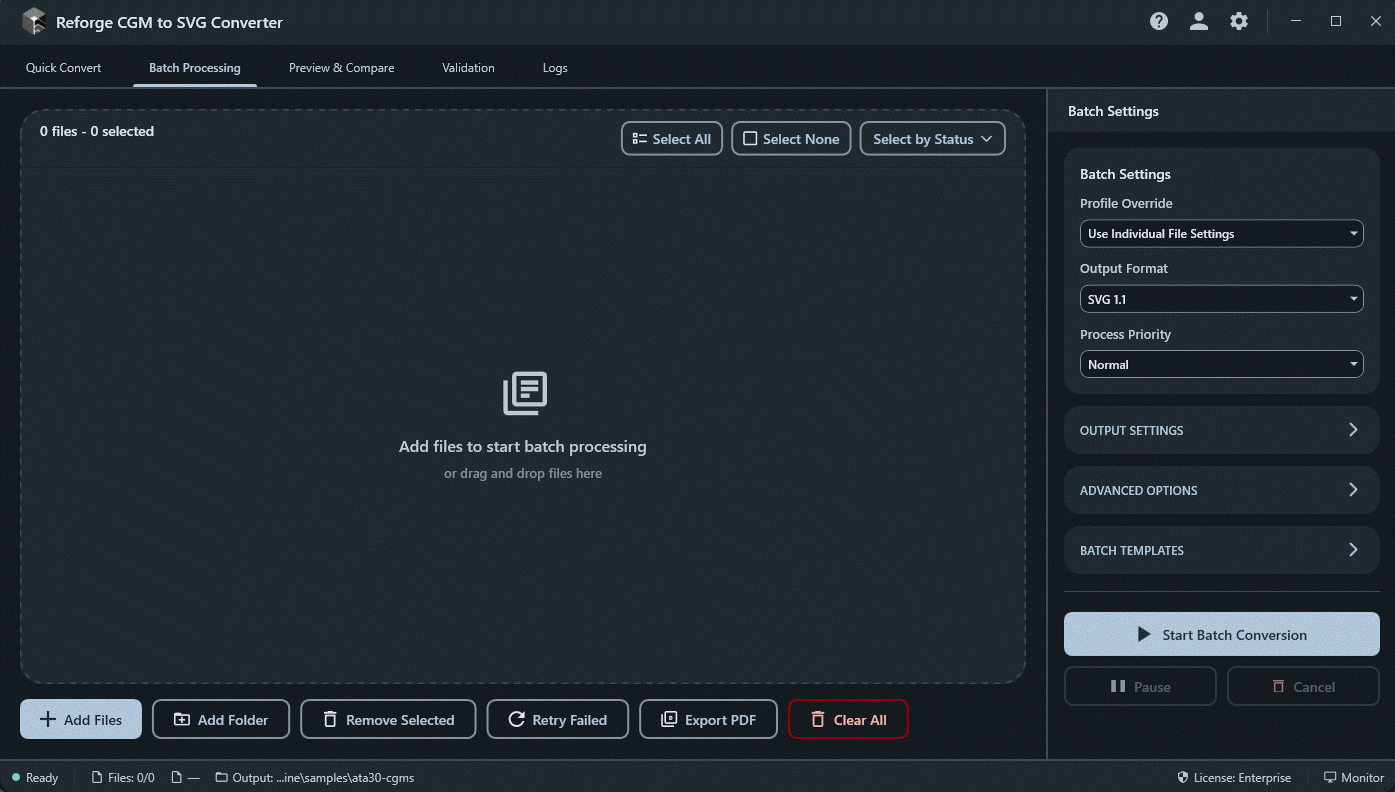
Convert hundreds of files at once. Save hours with automated batch operations.
Command Line Interface
Integrate into your workflow with powerful CLI tools and automation scripts. Perfect for CI/CD pipelines and batch automation.
reforge convert input.cgm -o output.svg --profile webcgm
All Major CGM Standards
Full support for WebCGM 2.1, ATA iSpec 2200, S1000D v6, CALS, CGM/PIP, and ISO/IEC 8632 encoding standards.
Live Preview
See your conversions in real-time with side-by-side comparison view.
Validation
Built-in validation ensures your output meets SVG standards and specifications.
Simple, Transparent Pricing
Clear monthly and annual pricing with transparent seat math for teams.
Starter
For solo engineers and technical writers
1 seat license
- 500 conversions/day
- Batch processing
- No watermarks
- Email support
Professional
For teams running repeat conversion workflows
Includes 3 seats, expandable to 10
Total $349/year for 3 seats ($116.33 per seat/year)
- Unlimited conversions
- Command line access
- Custom CGM profiles
- Advanced validation
- Priority support
Additional seats are $50 per seat/year (up to 10 seats total).
Enterprise
For large organizations and regulated programs
10+ seats with procurement support
- Everything in Professional
- API access
- 10+ seats (volume pricing)
- Invoice billing (NET 30/60/90)
- Dedicated support & SLA
Questions before you commit?
Practical answers for procurement, IT, and engineering teams
We support all major CGM standards including WebCGM 2.1, S1000D v6, ATA iSpec 2200, CALS (MIL-PRF-28003), CGM/PIP, GRexchange, and full ISO/IEC 8632 encoding compliance. The app also features automatic profile detection from file metadata.
Yes! Batch processing is available in Starter plans and above. Simply select multiple files or an entire folder to convert them all at once.
The 30-day trial includes basic CGM to SVG conversion with live preview. Limitations: 25 conversions per day, watermarked output, and no batch processing or CLI access.
Reforge outputs SVG 1.1, SVG 2.0, and SVG Tiny 1.2 formats. You can also export to PDF and generate XML Companion Files (XCF) for WebCGM and S1000D workflows. Multiple color spaces are supported including sRGB, Adobe RGB, and CMYK.
Yes! All file processing happens 100% locally on your machine. Your files never leave your computer, ensuring complete privacy for sensitive technical documents. An internet connection is only needed for initial license activation.
Professional and Enterprise plans include CLI access for scripting and automation. You can also use Folder Watch mode to automatically convert CGM files as they're added to a monitored folder—perfect for automated workflows.
Licenses are tied to your machine. You can transfer your license to a new machine by deactivating on the old one first. Enterprise licenses support multiple activations.
Starter licenses allow 2 machine activations, Professional allows 3, and Enterprise supports up to 10 concurrent activations with volume licensing options available.
Reforge requires Windows 10 or later. All dependencies are bundled with the installer—no separate runtime installation needed. For optimal batch processing performance, we recommend 8GB RAM and an SSD. The application supports parallel processing of up to 32 files simultaneously.
Built-in validation checks your input CGM files against profile standards before conversion, and verifies SVG output compliance. You can generate detailed validation reports, and S1000D users get ICN (Information Control Number) filename validation.
Yes, we offer a 30-day money-back guarantee. If you're not satisfied, contact support for a full refund.
Currently we only support Windows.
Technical workflow resources
Focused guides for teams implementing CGM to SVG conversion at scale.
CGM to SVG Converter Guide
Overview of high-fidelity conversion requirements and implementation patterns.
Read guideS1000D and WebCGM Workflows
Profile-aware conversion practices for technical publication teams.
Read guideBatch + CLI Automation
How to run repeatable conversion jobs for release-driven environments.
Read guideValidation and Compliance
Validation-first checks to reduce downstream quality and audit risk.
Read guideStart your 30-day trial
Get the installer and trial key by email in under a minute.
Download Free Trial
Enter your email to receive your download link and trial license key.
By downloading, you agree to our Terms and Privacy Policy.
Desktop Application
Reforge is a Windows desktop application. Get a download reminder sent to your inbox.
We'll email you a download link. No spam, ever.
What's Included in the Trial
Need Enterprise Features?
API access, volume licensing, dedicated support, and custom SLAs for large teams.